
There’s no install step on Jest. A user taps an ad or a shared link and is inside your app in seconds.
This is great for acquisition, but it also means the user has committed nothing. No download, no store visit, no five-minute install to feel invested in.
So your first session has a key job: make the user want to register. Registered users can receive SMS/RCS notifications that bring them back. Before they register, they’re effectively a one-session user.
Your ad buys the session. Your app has to earn the registration.
So what should you do to make that first session land?
What works
1. Make sure your app loads quickly
53% of mobile users abandon anything that takes over three seconds to load.
That’s why, as part of our SDK checklist, we ask you to call markGameLoaded() the moment the player can actually start playing. This gives us visibility into load performance for your game and helps us understand where players may be dropping off.
So how do you keep load times fast? Load only what the first scene needs, then stream the rest in the background. Don’t block gameplay on optional or user-gated downloads. Those can inflate your load time with time that’s actually controlled by the player.
See our technical requirements for more info about asset compression and build size recommendations.
2. Get to the fun quickly
What’s the most fun thing your app does? Get users there.
Cutscenes, lore, menus, character customization, and feature tours can wait. If the player could be playing instead of reading, let them play.
3. Teach by doing
The best tutorials don’t explain how to play. They let users play while they learn.
Instead of “tap the sword button to attack,” have an enemy appear and the sword button light up.
Instruction → Action → Feedback → Reward
Introduce mechanics when players need them, not all at once.
4. Ask for registration right after a win
A registration wall in front of gameplay is a great way to waste ad spend. Let users play, then ask when they’ve just done something they care about: clearing a level, winning a battle, hatching a creature.
That moment is usually your first milestone. markFirstMilestone() reports it, you define what it is, and implementing it is required to launch.
There’s no universal “ask after X minutes” rule, but our data shows that 84% of registrations happen within the first five minutes of first interaction.
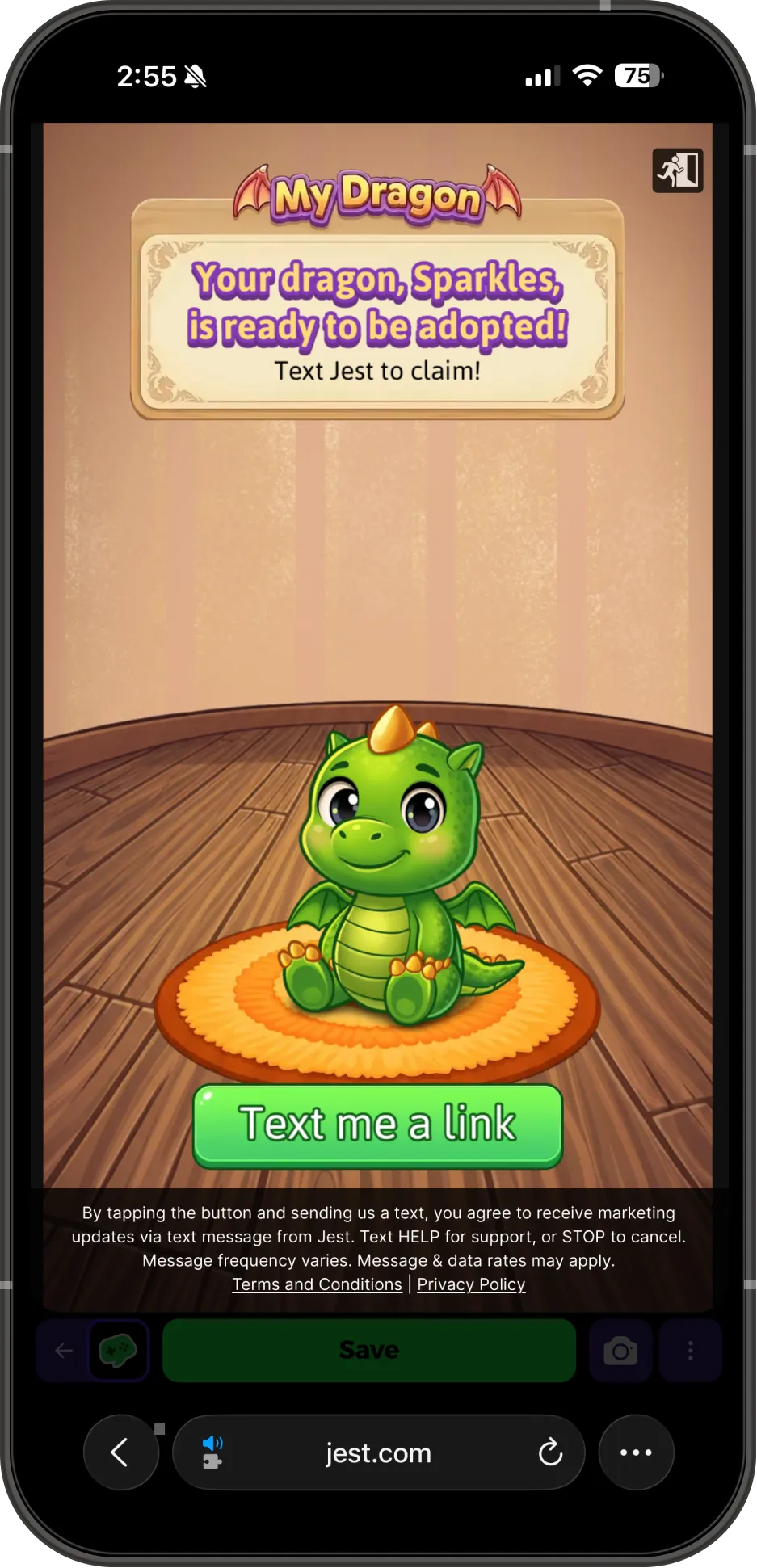
5. Make the registration ask feel like your app
login() opens the platform’s built-in popup and is the simplest integration. But showRegistrationOverlay() lets you build the registration ask directly into your own UI, which can make it feel more natural and compelling.
The more contextual the ask, the better: “Save your dragon” > “Save your progress.”
You’re not asking for a phone number. You’re giving the player a reason to keep what they just earned.
Learn more about creating a custom registration flow in the docs.
6. Turn registration into a return visit
Once a user registers, the goal shifts from acquisition to retention.
As soon as getPlayer().registered is true, schedule your D1–D7 notification sequence with notifications.scheduleNotification(). scheduledInDays accepts 1–7, so you can schedule the full window up front.
See the notifications docs for more details.
The first session earns the registration. Notifications earn the second.
On Jest, you don’t need to convince someone to download your app. You need to convince them that the app they just played is worth coming back to.
Get them playing quickly. Teach through play. Give them an early win. Ask them to register to save their progress at the moment they actually care.
Your ad buys the first session. Make it count.
New to Jest? The developer docs are open to everyone, and the launch checklist covers what you need before you ship.