
Monetizing your app on Jest is mostly a matter of deciding what you want to sell. Create a product or subscription in the Developer Console, give it a price, and Jest handles the rest — checkout, Apple Pay and Google Pay, purchase state, and payouts. Your app just calls the SDK when it’s time to show an offer or grant an entitlement.
We support one-off purchases and subscriptions across HTML5 and Unity. And because Jest handles the payment infrastructure, you don’t need to open a merchant account, manage PCI compliance, or build your own checkout.
One-off purchases
Products are the familiar in-app purchase model: currency packs, consumables, permanent unlocks, premium items, and anything else a user might buy once.
Configure products under Manage > Products. Each product has:
- SKU — a unique identifier that can’t be changed after creation, so choose carefully.
- Name — shown to the user.
- Description — optional text shown at checkout.
- Price — in USD, starting at $0.99.
Products can be archived when you no longer want to sell them. Archiving preserves the purchase history for users who already bought them.
Guests can buy products without registering first. Jest prompts them to sign up after checkout, and the purchase carries over.
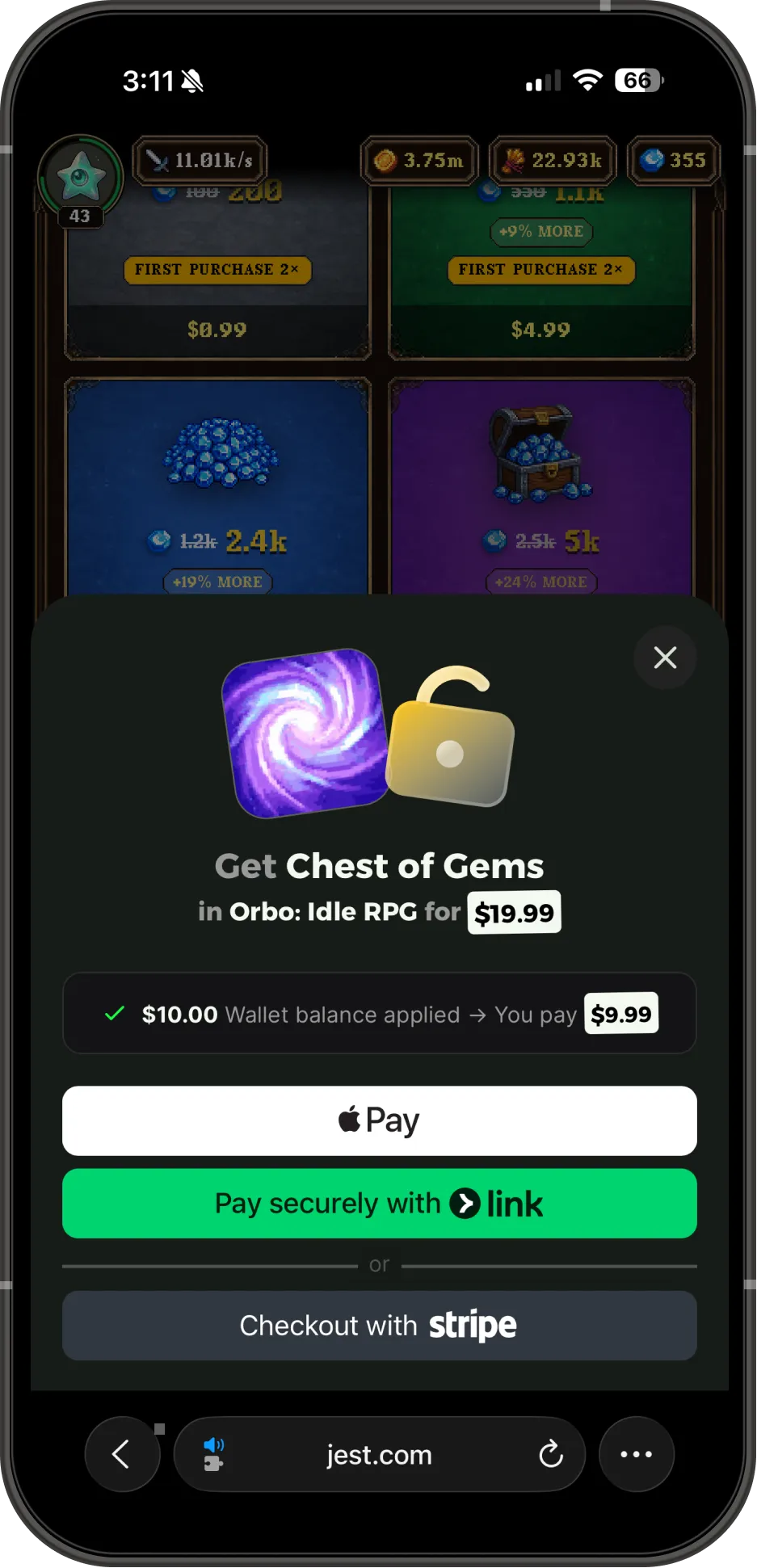
Checkout being initiated in Orbo.
In the SDK, getProducts() reads your catalog and beginPurchase({ productSku }) starts checkout. A successful checkout hands you a purchaseToken: grant the item first, then call completePurchase({ purchaseToken }) to confirm it.
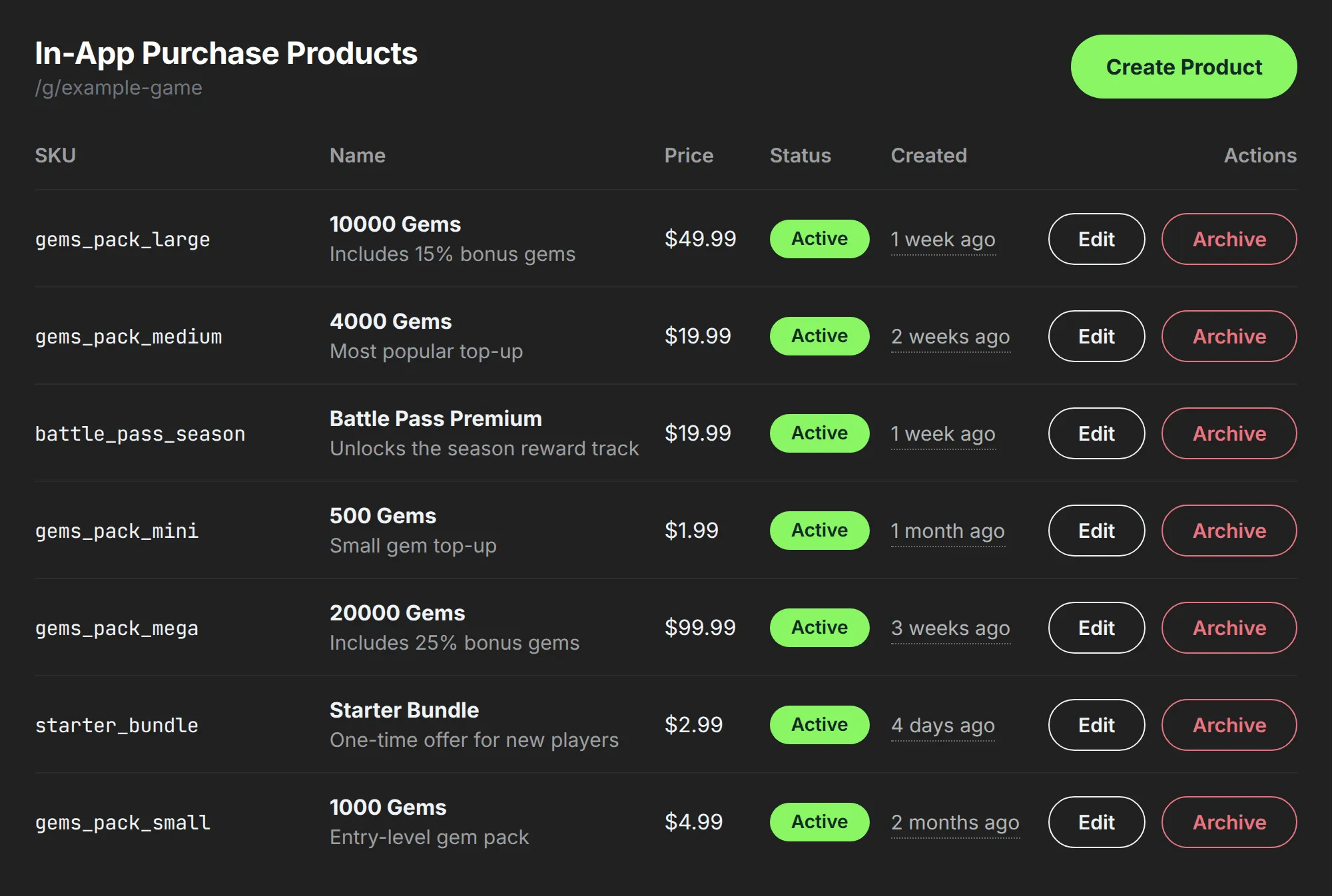
Example product SKUs as seen in the Developer Console.
Subscriptions
Subscriptions turn premium tiers, memberships, and season passes into recurring revenue. Configure them under Manage > Subscriptions.
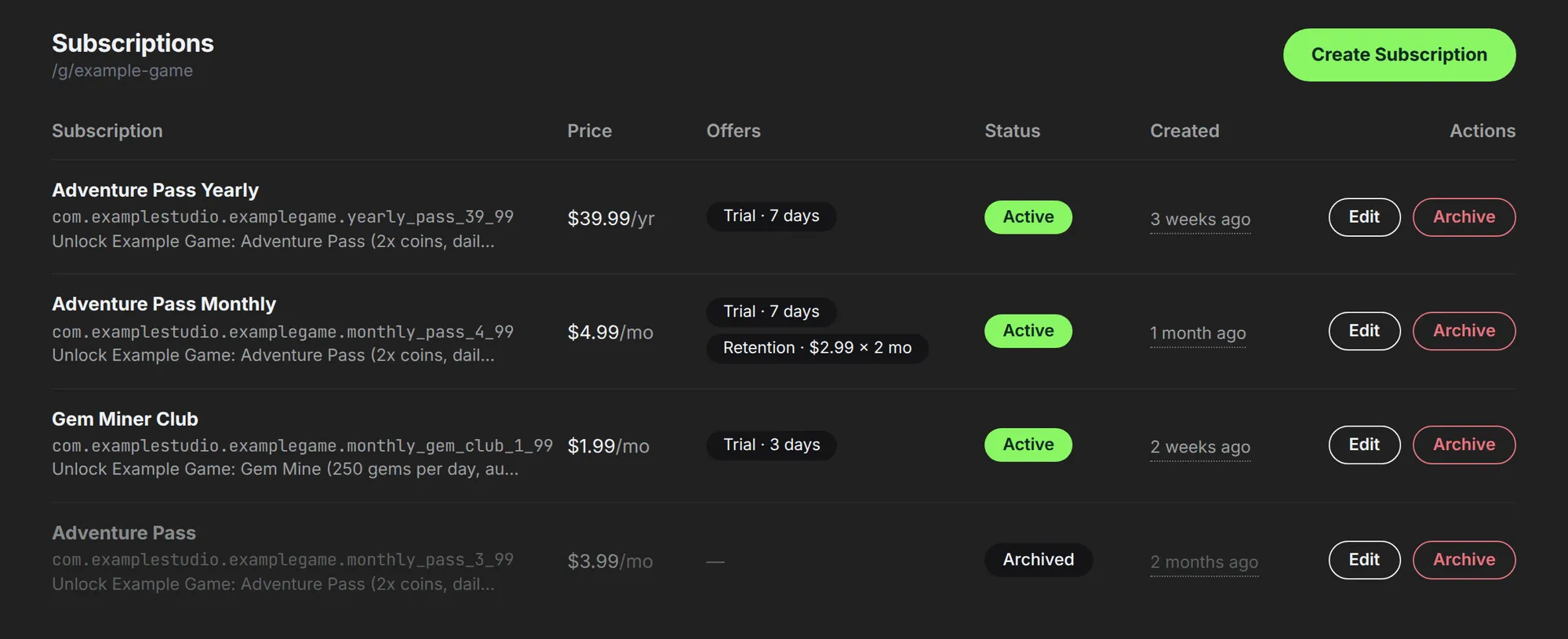
Example subscription SKUs as seen in the Developer Console.
Along with a SKU, a price (from $0.99), a name (up to 32 characters), and a description (up to 110), you can also configure:
- Billing period — monthly or yearly. This is fixed when the subscription is created.
- Free trial — optionally offer up to 14 days to wallets that have never subscribed to that SKU.
- Intro offer — optionally offer a lower price for the first 1–12 billing periods. The intro price must be at least $0.50 and lower than the standard price. Monthly subscriptions only.
- Retention offer — optionally let a cancelling subscriber claim a discount, once, that runs for a set number of renewals before the standard price resumes automatically. Your app decides when to show it as part of your cancellation flow; Jest never applies it automatically. Monthly subscriptions only.
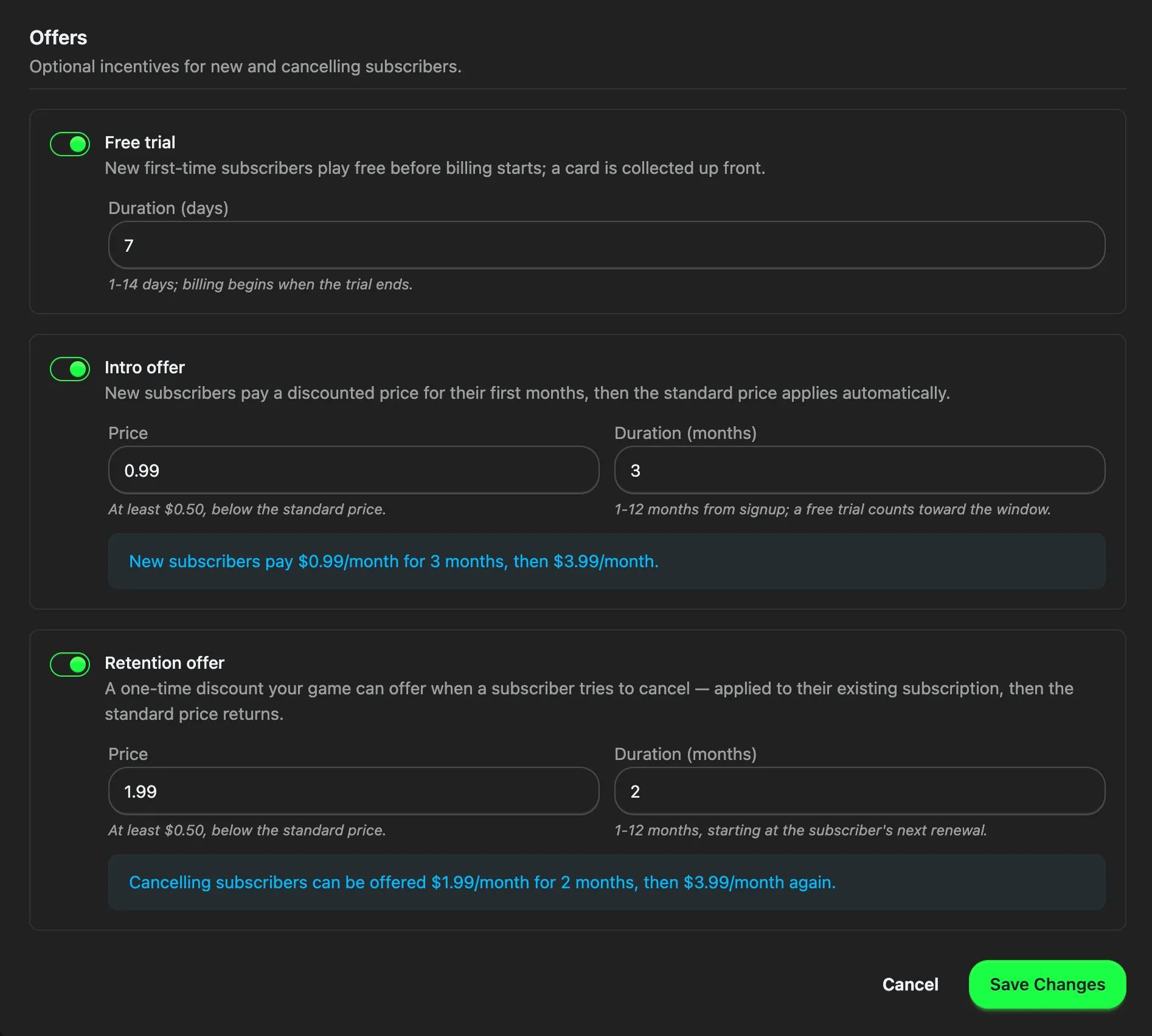
Optional incentives you can configure for subscribers.
In the SDK, getSubscriptions() returns your subscriptions along with the user’s current entitlement and offer eligibility, and beginSubscription({ subscriptionSku }) starts checkout. cancelSubscription({ subscriptionSku }) opens the platform’s cancellation dialog, and claimRetentionOffer({ subscriptionSku }) applies the retention discount instantly, with no second checkout.
Before you ship
The payment flow is simple, but a few details are worth getting right.
- Grant first, then complete. When
beginPurchasesucceeds the user has paid, but they do not have their item until your app grants it. Grant it durably, then callcompletePurchase({ purchaseToken }). Confirming first and crashing before you grant leaves the user paid and empty-handed, with nothing left to recover from. That’s a particularly bad bug. - Recover interrupted purchases. Call
getIncompletePurchases()when your app starts, so a checkout cut short by a crash or a dropped connection still gets delivered. - Verify purchases server-side when you have a backend. Purchases and subscriptions include signed JWTs that you can verify with your app’s shared secret before granting entitlements.
- Test the real flow with sandbox users. Sandbox users run through the real checkout experience, including free trials, and are charged $0.
A few subscription gotchas
- Treat monthly and yearly subscriptions as separate SKUs. Jest considers each SKU independent, so a user could technically have both
premium_monthlyandpremium_yearlyactive at the same time. CheckgetSubscriptions()and hide an equivalent offer while another cadence is active. If you offer a free trial on a tier, configure it on only one of that tier’s SKUs. - Show users the offers they’re actually eligible for.
trialEligibleandintroOffertell you whether the current wallet qualifies. Use those fields to avoid showing a free trial or introductory price that the user can’t actually claim. - Guests can buy, but they can’t subscribe. A guest can complete a one-off purchase and is prompted to register afterwards. Subscriptions need a registered account up front: if a guest tries to start one, Jest shows the signup gate and returns
guest_not_allowed, so you don’t need to build your own signup prompt.
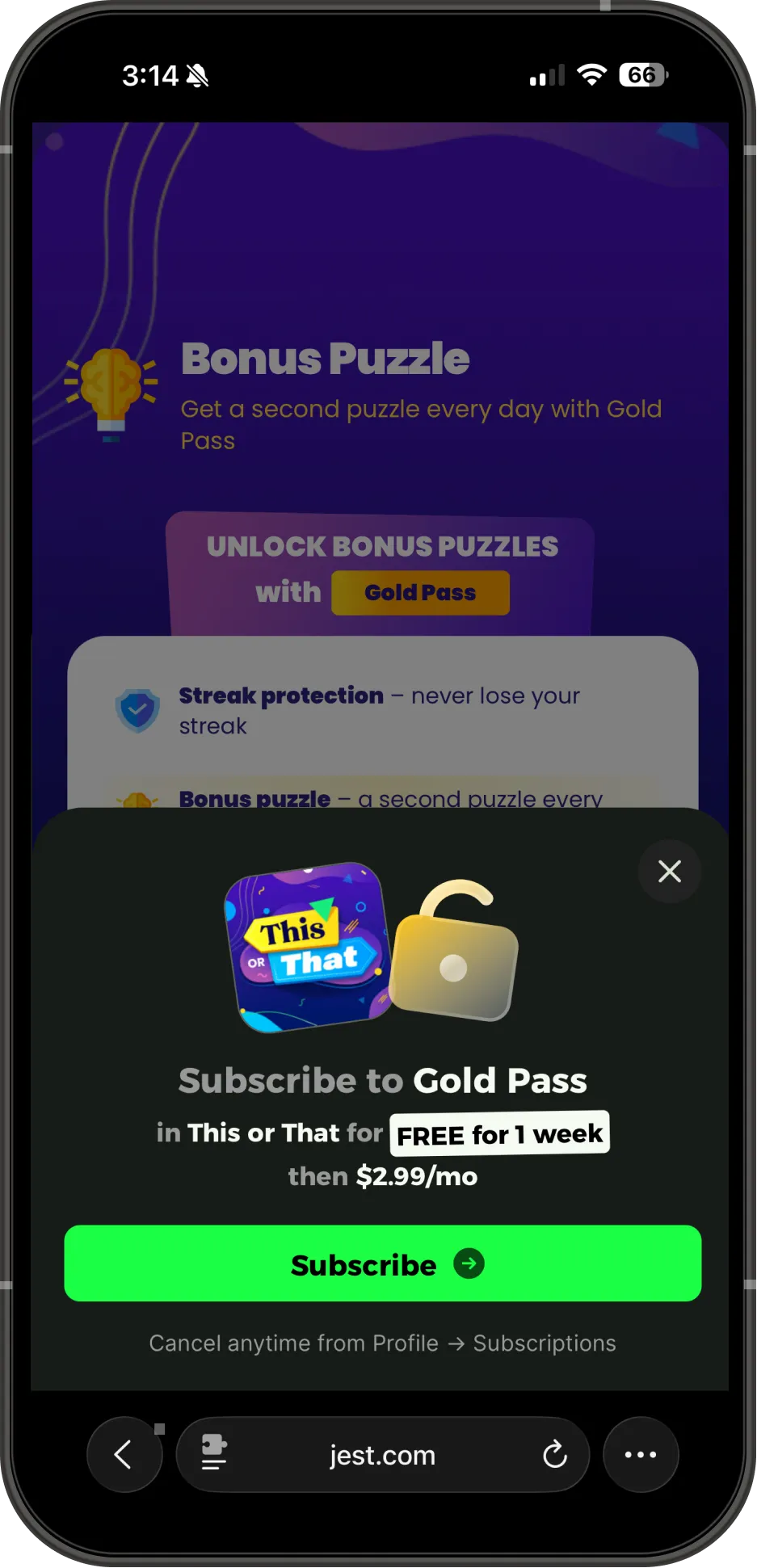
Subscription checkout being initiated in This or That.
- Changing a subscription price means creating a new subscription. Existing subscribers keep the price they signed up at. To change pricing, archive the old subscription and create a new one.
- Archived subscriptions still appear for existing subscribers.
getSubscriptions()keeps returning an archived SKU while a user is still entitled to it, so your paywall needs to honor an entitlement for a SKU you no longer sell.
What you keep
Jest takes 10% of net revenue, where net revenue is gross net of payment processing fees, VAT or any equivalent sales taxes or duties, and any refunds, chargebacks and fraudulent purchases that may occur. Of the remaining 90%, 70% goes to the app that generated the purchase and 20% goes to whoever acquired the user.
If you acquired and monetized the user yourself, you keep the full 90%. If Jest or another developer acquired the user, they receive the 20% acquisition share. Revenue attribution is calculated per transaction and shown in the Developer Console. For more details, see platform economics.
Payouts are sent monthly, typically on the 15th of the following month.
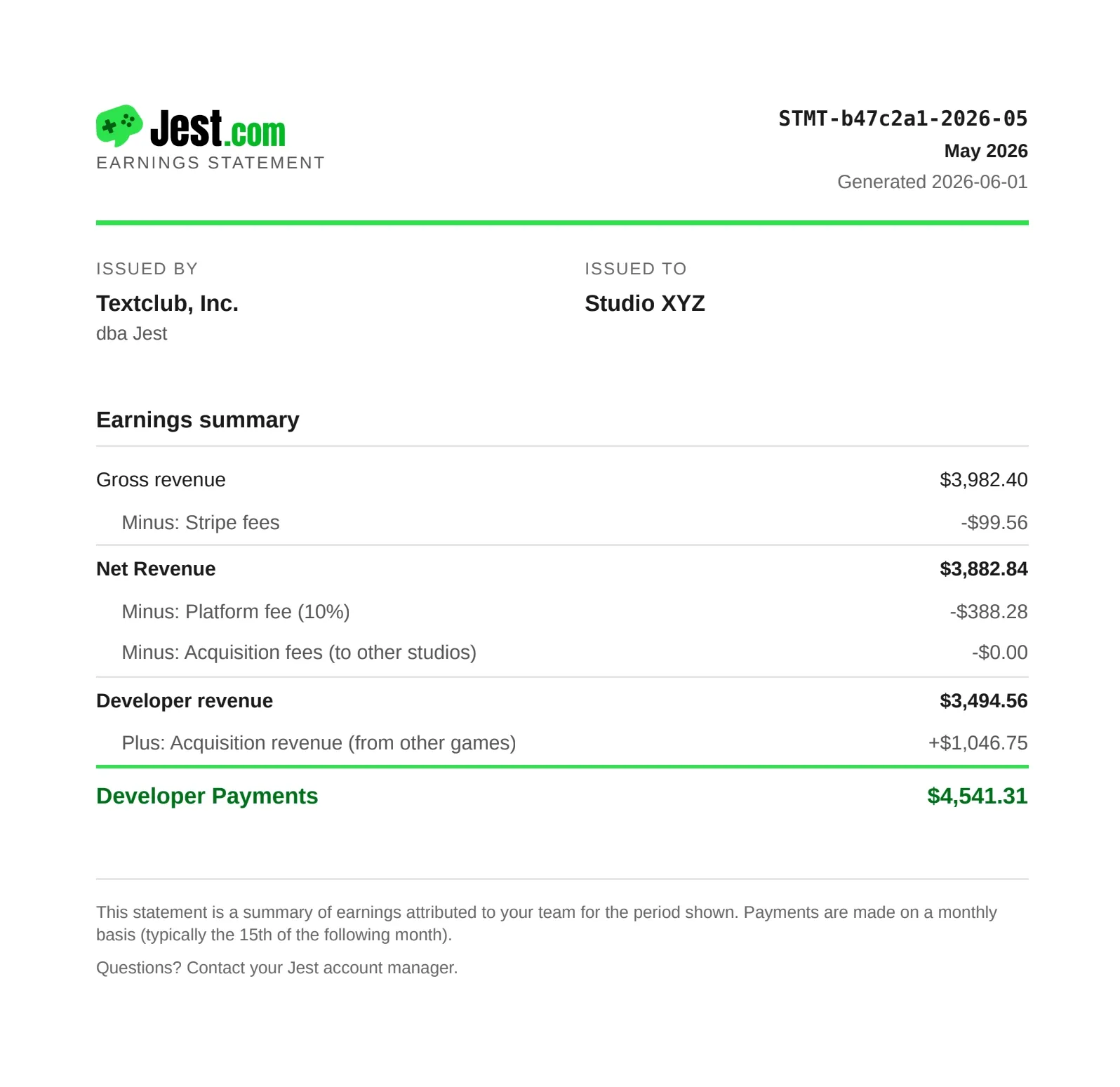
A sample earnings statement with Jest.
What’s next
Products and subscriptions are just the beginning. We’re adding more ways for developers to turn their audience into revenue, including in-app advertising (IAA).
The goal is simple: bring your app to Jest, choose how you want to monetize it, and let us handle the payment and platform plumbing. You build the experience; we make it easy to make money from it.
For the full implementation details, see our monetization guide, products and subscriptions documentation.