
Users are already writing your bug reports. They just aren’t sending them to you… until now.
Since we launched chat this summer, we’ve added multiple chat rooms, including one for every app. And it turns out people talk, like a lot, while they play on Jest: thousands of messages are now sent every day. When something breaks, they often say so in the moment, in their own words, and then keep playing.
Those reports rarely made it back to you though, unless you happened to be watching chat that day.
So we fixed that. Player Feedback is now live under every app in the Developer Console: Jest reads every public chat room, picks out the messages that report a bug or suggest a change, works out which app they’re about, and turns them into a simple, searchable feed for you.
Why we built it
Well, we were already doing this by hand. Oftentimes, someone at Jest would spot a critical bug report in chat, screenshot it, and drop it into the Slack channel we share with the developer. Useful, but not exactly scalable! We can’t watch every room, and you probably don’t have the bandwidth to monitor yours plus global chat on the off chance your app comes up.
We also noticed that users often don’t go hunting for the Contact Developer button to formally report a bug, but they’ll happily mention it in chat. Time and again, we’d see a message like “the boss freezes if you retry,” get a “same here” from someone else, and that was that. No ticket, no repro steps, nothing in your inbox.
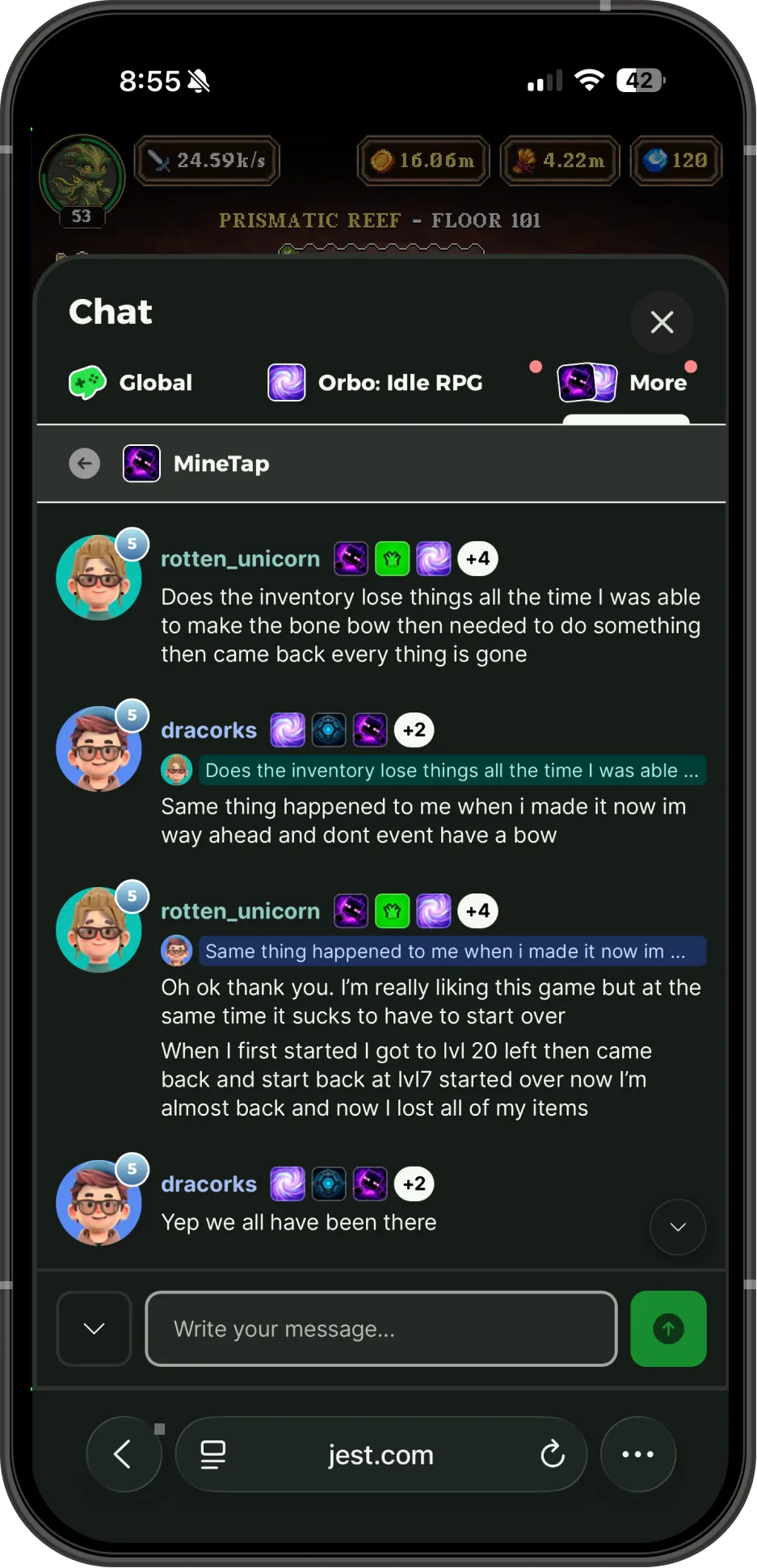
A bug report in the wild: one user hits it, another confirms it, and nobody files a ticket.
What we launched
Player Feedback is a new tab under each of your apps in the Developer Console.
Every report is tagged Bug or Feedback, with a one-sentence summary, the user’s original message, and any message they were replying to, so you get the full context.
Attribution is the tricky part, and we spent most of our time there. Anything written in your app’s own room counts as yours. Elsewhere, a report only reaches you if the user has played your app recently and the message makes clear it’s about your app, either by naming it or by replying to one that does, so even a two-word “same here” lands in the right place.
From the Console, you can:
- Filter by status or timeframe
- Search summaries and original messages for a feature name, an error string, whatever you’re chasing
- Jump to whoever sent it in Player Lookup
- See their account data to start debugging
So going from “someone says checkpoint 4 is broken” to that user’s actual data is one click away.
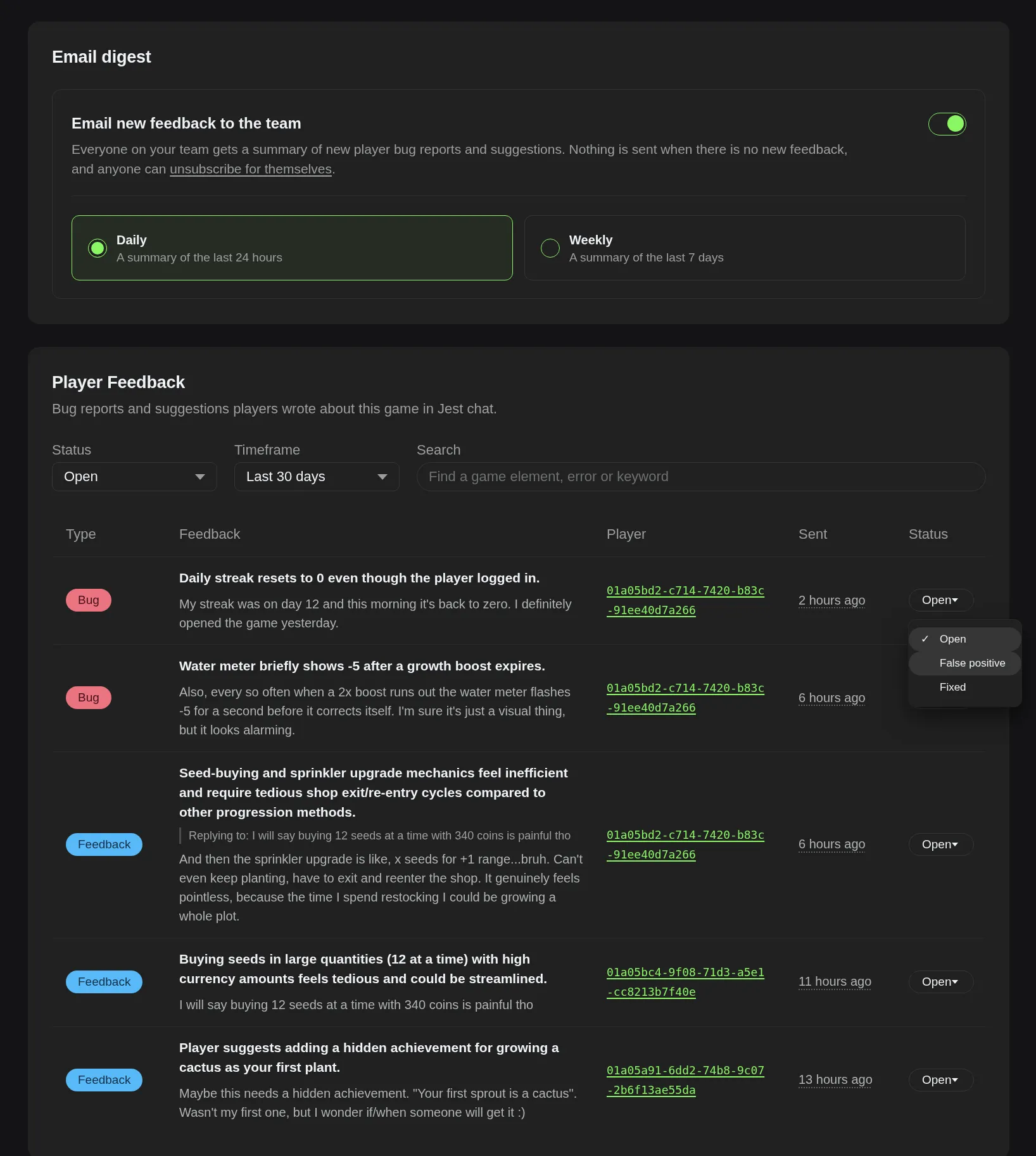
The Player Feedback tab in the Developer Console: digest settings up top, then every report with the original message, who sent it, and a status you can set.
What it changes
It costs you nothing to adopt. There’s no SDK call, no form to build, and no feedback prompt to add to your app. Every published app with a chat room already has Player Feedback, including ones you shipped months ago.
It’s fast. Analytics can tell you that something got worse, sometimes days after it happened. Chat tells you what broke, in a sentence, while people are still playing.
And if you’ve connected an AI assistant through the Jest MCP, you can just ask it what users have been reporting as broken this week. It reads this same feed, so you can go from report to fix without leaving the AI workflow you already build in.
You don’t have to remember to check it. Your team gets an email digest daily by default, and a quiet day sends nothing at all. Switch it to weekly, turn it off for an app, or unsubscribe yourself while everyone else keeps theirs.
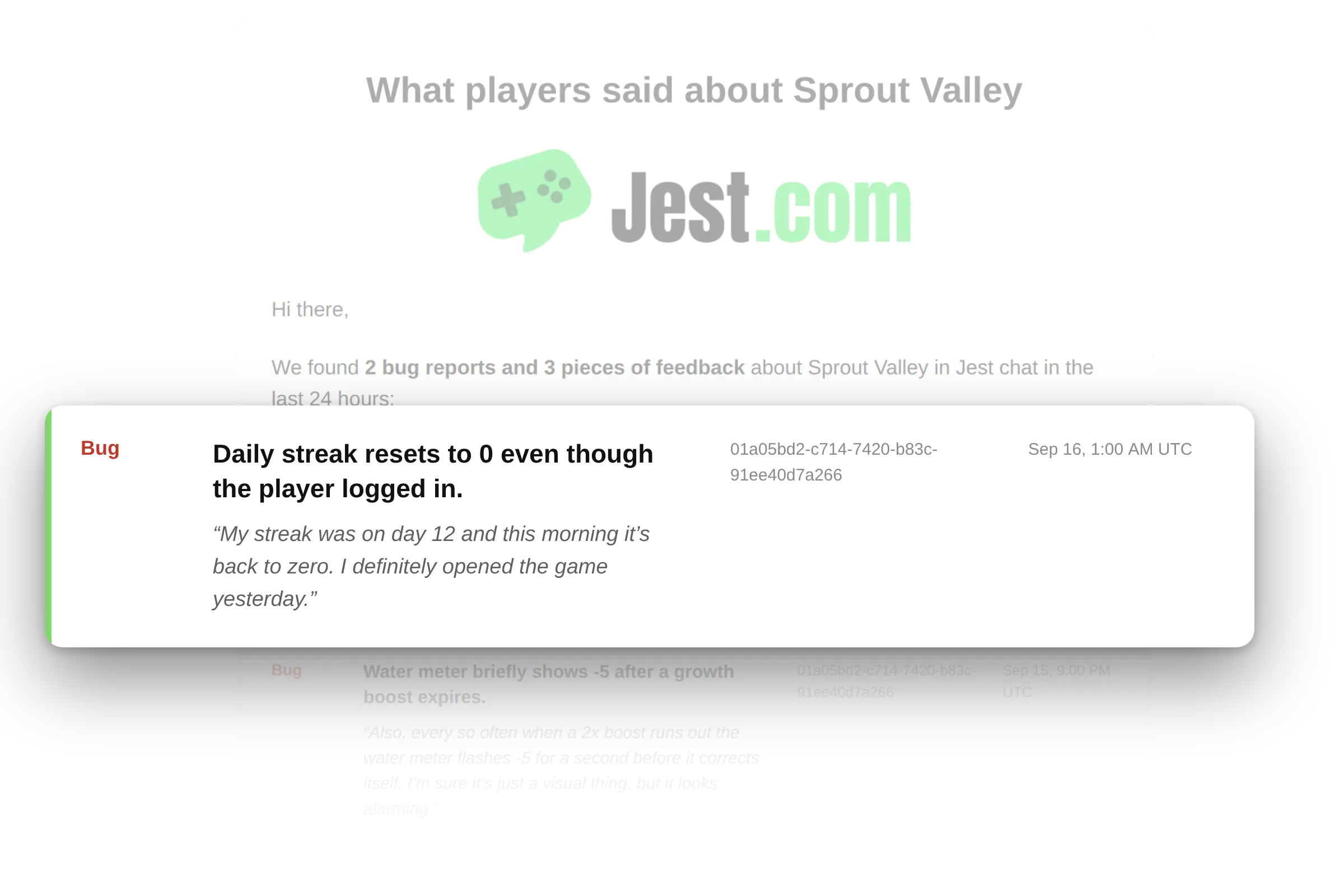
The daily email digest: what came in during the past 24hrs, delivered straight to your inbox.
The built-in Jest chat turned out to be the single best QA tool I’ve ever used. We had run automated simulations for 150 virtual days, but watching real players narrate their live playthroughs in the chat revealed game balance insights we never could have predicted. Having immediate, unvarnished player feedback right on the platform transformed how we iterate on the game in real time.
— Head of Boglight Games
And more: you can talk back
We’ve also made it possible to post in your app’s chat room as a verified developer. Flip Send as to your app name and everything you send in that room goes out with your app’s logo and a verified badge, until you switch back. Your player name, level and avatar never come along for the ride.
Completely optional. But if you want to jump in on the user who just reported a bug, give it a try!
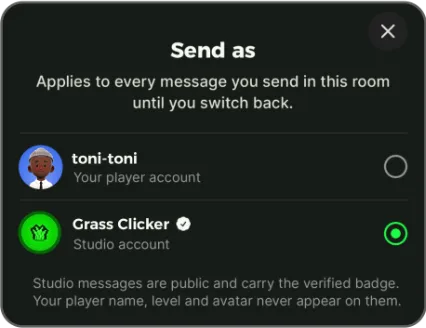
Easily change who you send messages as. Your selection stays until you switch back.
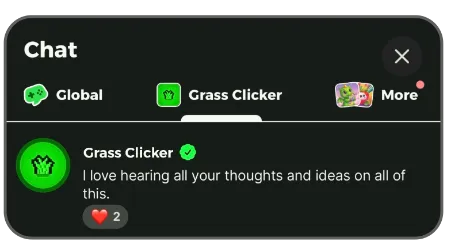
An example of a dev posting in his game’s chat room as a verified sender
What’s next
We want to keep making Player Feedback more useful. One obvious next step is grouping repeat reports, so ten users hitting the same bug show up as one issue rather than ten separate reports.
We’re also looking at real-time Slack and Discord alerts and webhooks, so you can choose how you want to hear about new feedback if email isn’t your thing.
We’re still tuning the model, and you can help. If a joke lands as a bug report, or something gets misattributed to your app, mark it False positive. It’ll drop out of your digest, and that signal helps us improve attribution for everyone.
And, of course, we’d love to hear what would make this more useful for your team. Send us your ideas anytime!
New to Jest? Our developer docs are open to everyone and Player feedback has the full details, including how attribution works, what each status means, and how to configure your digest.