
July was a month of giving developers more control over the user experience: more ways to tune subscription offers, more control over registration and screenshots, and a new way to move users between your apps.
More ways to customize subscriptions
Introductory offers: You can now offer new subscribers a discounted price for the first few months of a monthly subscription before it returns to the standard rate.
Configuration is all in the Developer Console, though if your app renders its own pricing you’ll want to read introOffer from getSubscriptions() so you don’t quote the standard price to someone who’s paying the intro one. → Console setup · SDK reference
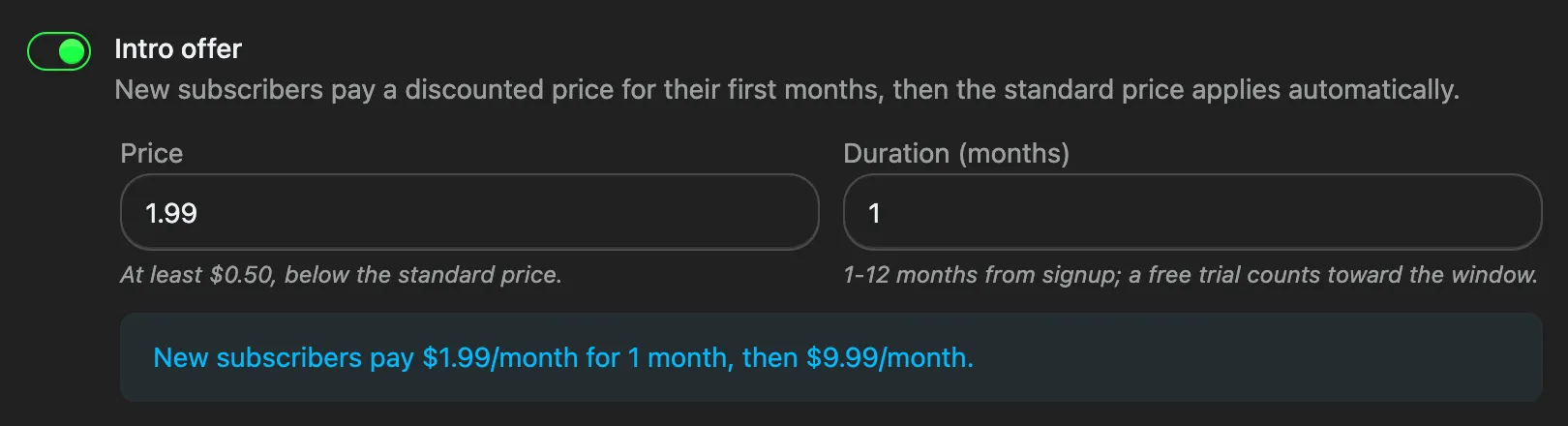
Configuring an intro offer in the Developer Console, with a live preview of what new subscribers will pay.
Know who can claim a free trial: getSubscriptions() now returns trialEligible, so your app can distinguish users who can actually start a free trial from those who have already used theirs. Show “Start free trial” to eligible users and a different CTA to everyone else. → Free trials
Annual billing: Subscriptions now support yearly billing alongside monthly. The billing period is set when you create the subscription and can’t be changed later, so offering both cadences means creating two subscription products. Introductory offers are monthly-only, so a yearly subscription can’t carry one. → Console setup · Monetization guide
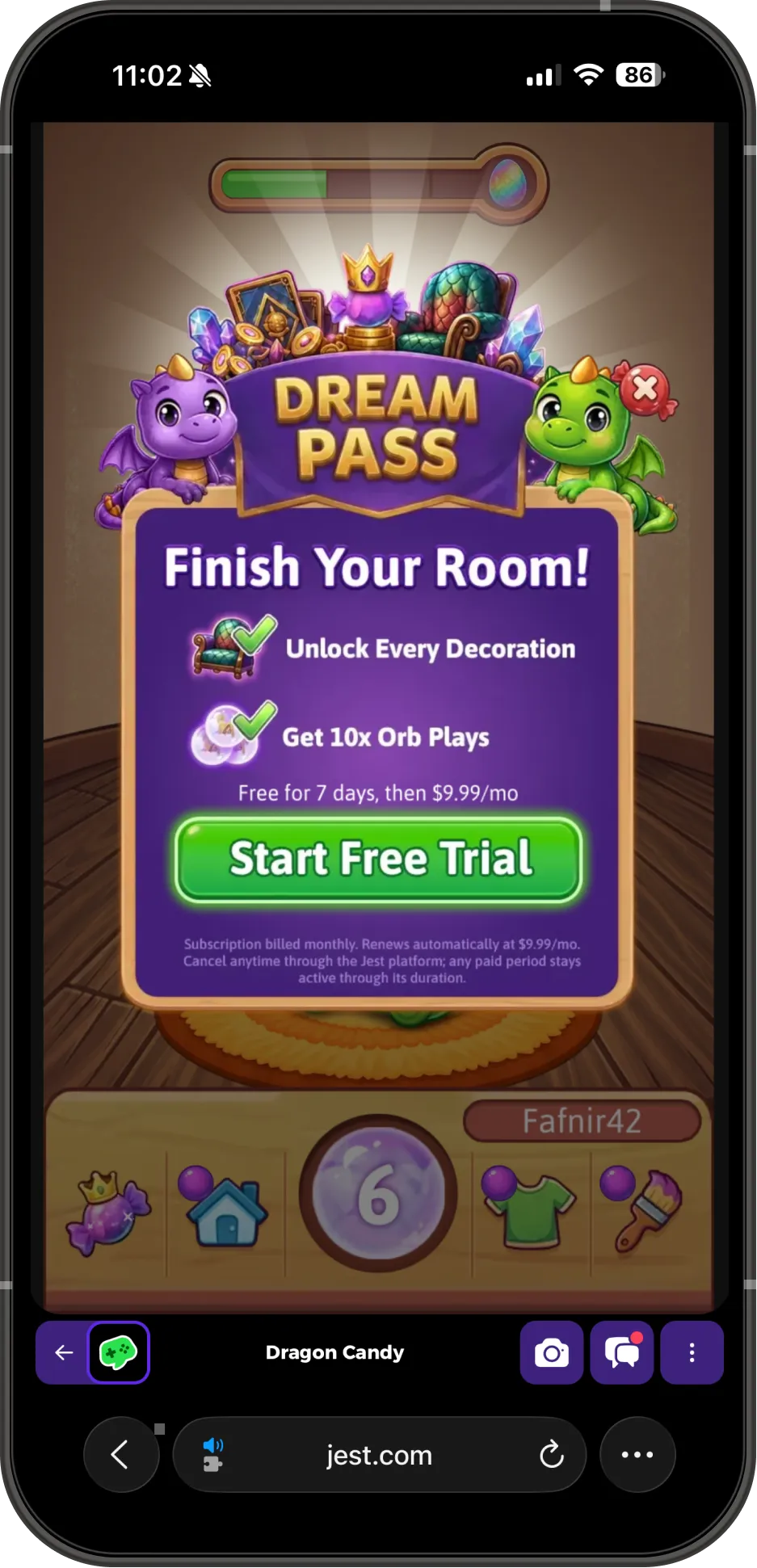
Dragon Candy’s Dream Pass, with its free-trial CTA.
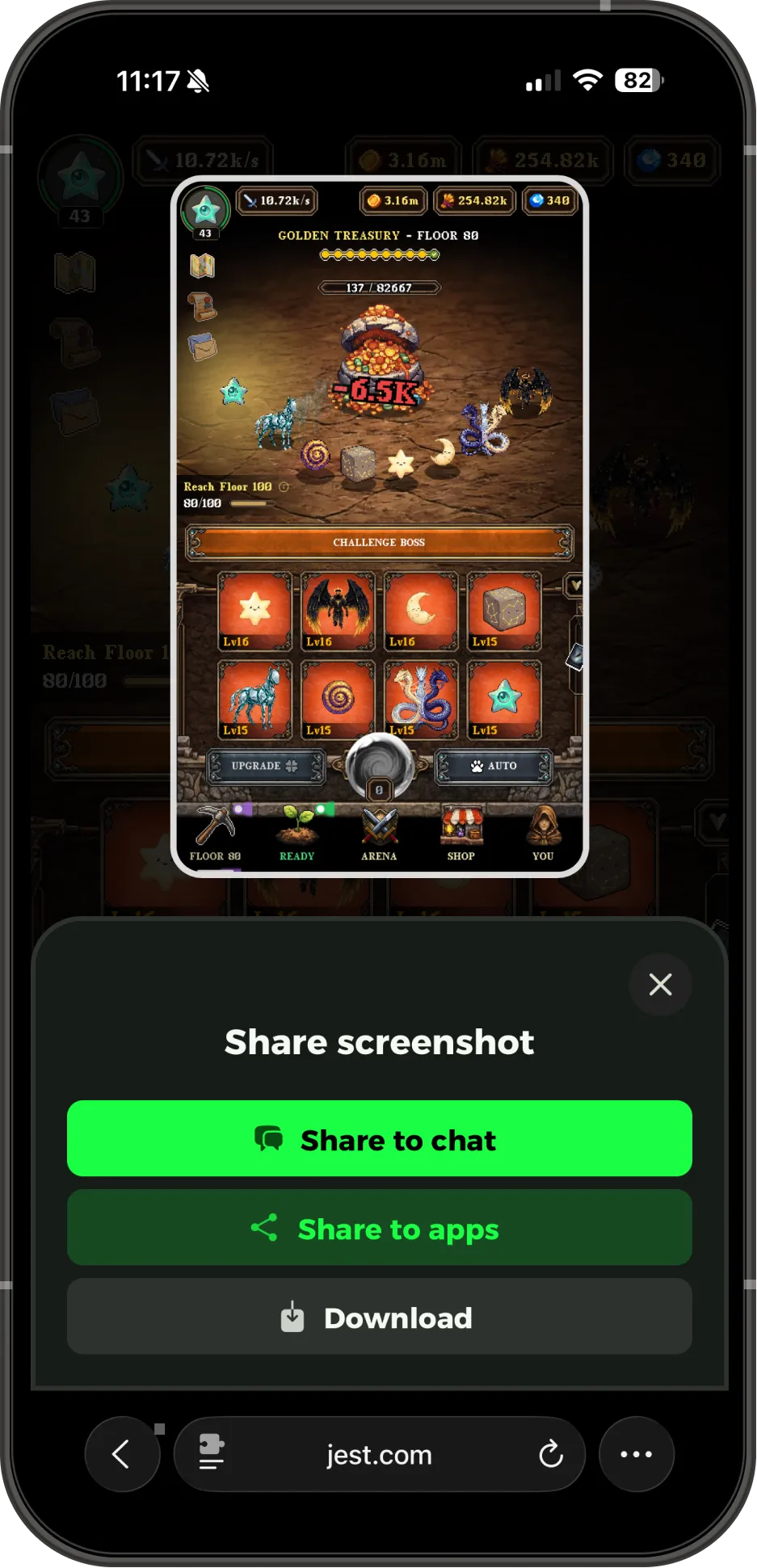
After tapping the screenshot icon in Orbo, a user is asked how they want to share the screenshot.
Let users share screenshots
The platform can now ask your app for a screenshot and let users share it directly into chat. The default capture is built to handle the awkward cases for you: the SDK picks the main canvas, recognizing the usual Unity and generic game-canvas markers when there is more than one, and reads inside a requestAnimationFrame callback so engines that leave preserveDrawingBuffer off still capture correctly, retrying if a frame comes back blank.
Reach for JestSDK.social.setScreenshotProvider(provider) when you want more control. Your own synchronous or asynchronous capture lets you compose the image you actually want users to share: clean up the HUD, make the score legible, or return null to suppress screenshots on loading or other screens you don’t want shared.
Send users from one app to another
redirectToTeamGame() lets one of your apps send a user directly into another app that you’ve published on Jest, with an optional entryPayload passed to the receiving app.
That payload makes this more than a simple link. You can use it for cross-app quests, shared events, or sending users from an established title into a new release. If you’re building a catalog on Jest, each new title can benefit from the audience you’ve already built.
Redirects are limited to apps under your same Developer Console team; the SDK returns different_team or game_not_found when the target isn’t valid. → App redirects
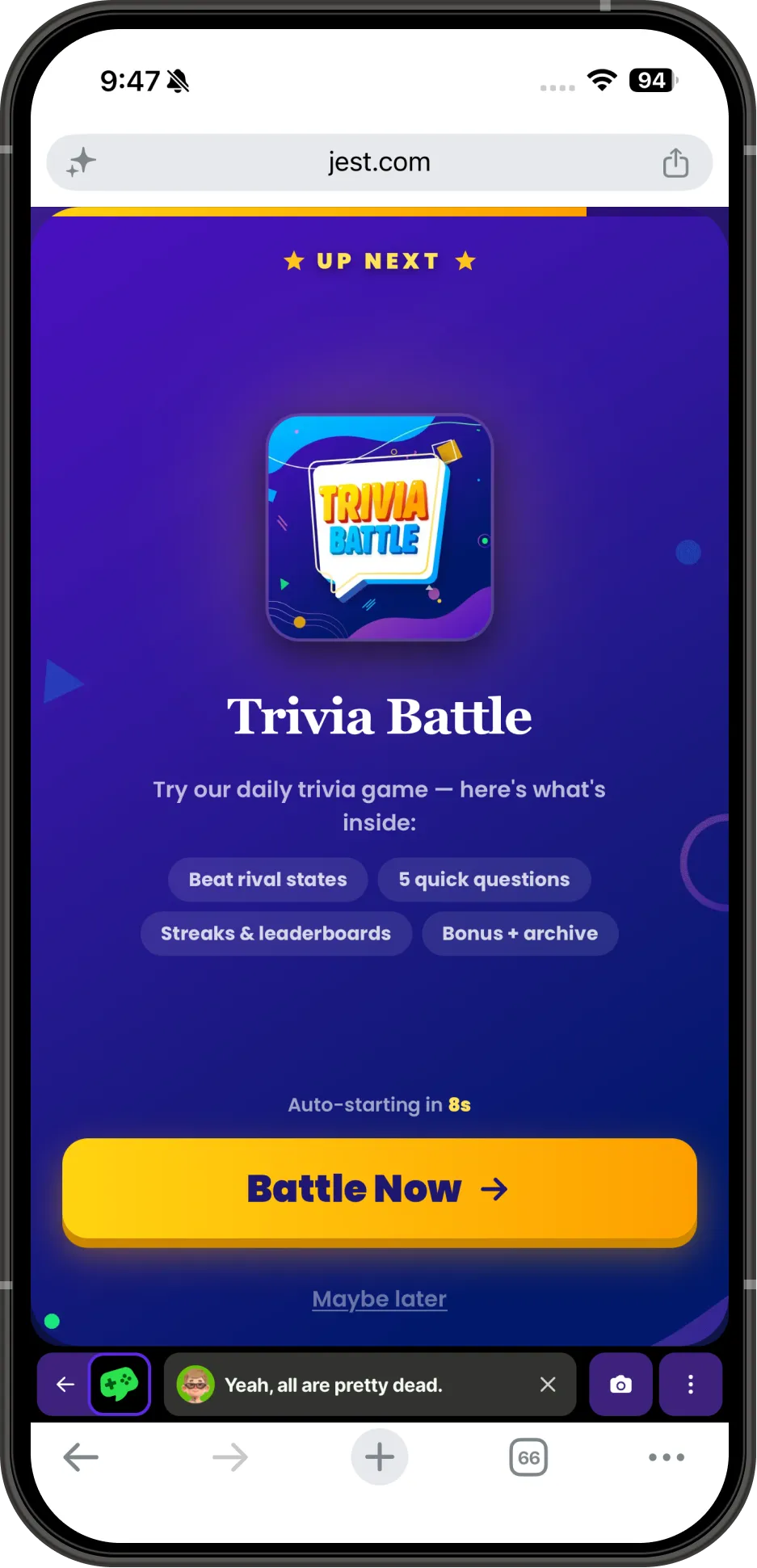
After completing today’s puzzle, This or That users are encouraged to check out Voice Games’ other title, Trivia Battle.
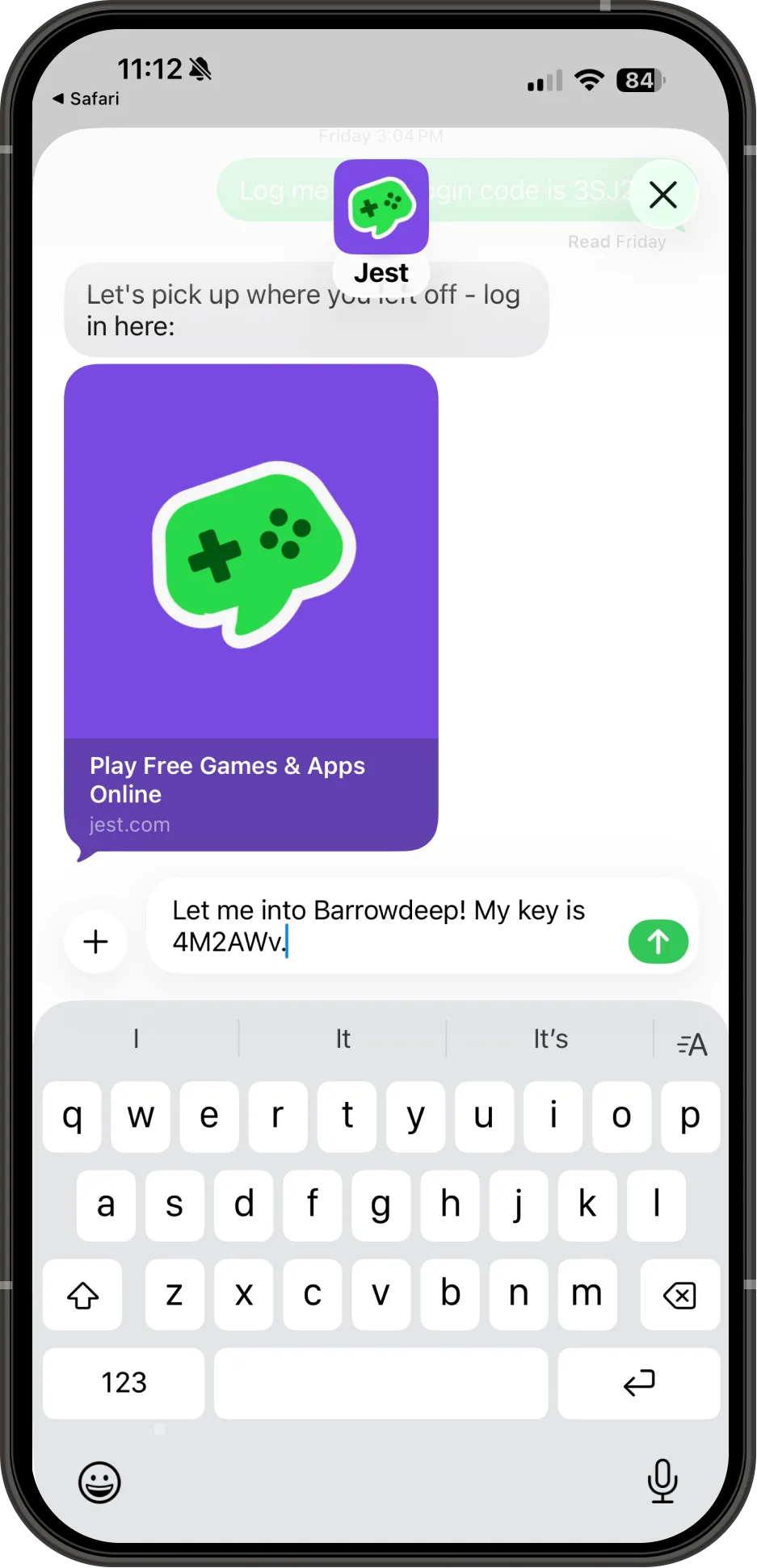
Barrowdeep has customized the registration request message.
Customize the registration request message
showRegistrationOverlay() now accepts an optional message, letting you customize the RCS/SMS message that gets pre-filled in the user’s messaging app. This lets the message match the context of your in-app registration flow.
The SDK validates the message when you call it: include {{registrationCode}} exactly once, don’t place words directly next to the placeholder, and keep the message under 140 characters so it fits in a single-billed segment. → Custom registration message
Other updates worth knowing
- Achievements are live across the platform: Users now earn XP, levels, and claimable rewards for activities across the catalog, including playing apps, referring friends, purchasing, and sharing screenshots. Level badges appear in chat and the Library surfaces a current quest. We wrote more about it in its own post.
- Action required: accept the updated Developer Agreement: The latest agreement updates the rules around directing users away from the marketplace. Until your team accepts it, payouts are held and you can’t activate a build, which also blocks review approval. → Developer Agreement
first_milestoneis now required for launch: CallJestSDK.markFirstMilestone()when a user reaches the earliest moment that demonstrates they’ve experienced your app’s core value: a first level cleared, first hatch, first win. We use this as an early engagement signal to understand app performance. → Launch checklist- App slugs are now lowercase-only: New and edited slugs must match
^[a-z0-9-]+$, and existing mixed-case slugs have been migrated. Capitalized URLs still redirect to the canonical lowercase version with a 301, so existing user-facing links continue to work. - New
engagement_summaryanalytics: The SDK now automatically emits a rolling engagement event based on taps, key presses, and interactions in nested frames. Sessions roll over after five minutes of inactivity, backgrounded tabs are ignored, and events are only emitted when the underlying numbers change. There’s nothing to integrate or read; it’s a platform-level signal we use to measure engagement in an app.
Full details for every change are in the changelog. New to Jest? Start with the developer docs.